Left, right, switch
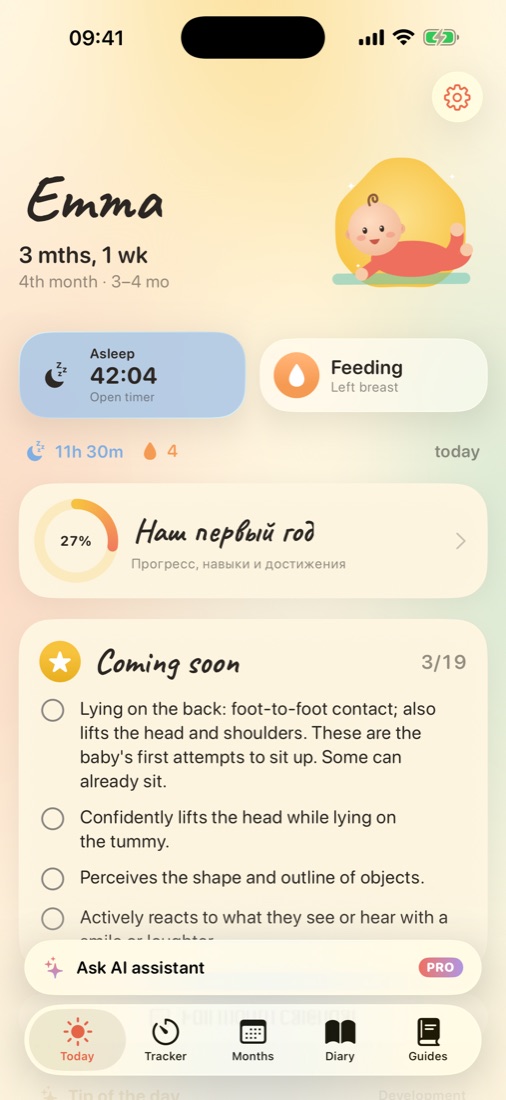
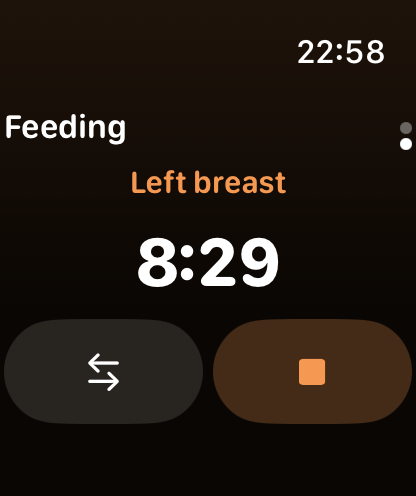
Tap “Feeding” to start the timer on one side. When your baby switches, change the side right from the Live Activity. Next time, Wobbly shows which side you finished on, so you know where to start.
Bottles and solid foods, too
- Long-press “Feeding” to log a bottle or a solid food
- Keep a solid food diary with your baby's reactions to new foods
- See all feeds next to sleep on the day timeline and in weekly charts
How often do babies feed?
Newborns usually feed 8–12 times in 24 hours, and it's common for feeds to bunch together in the evening. As babies grow, they take more at each feed and the gaps get longer. Most families feed on demand rather than by the clock.
Wet and dirty diapers and steady weight gain are the usual signs that a baby is getting enough. If you're unsure, a pediatrician or lactation consultant can help — and a log of feeds from Wobbly makes that conversation easier.
Help when you need it
Wobbly includes a step-by-step guide to breastfeeding and breast care, a tip of the day for your baby's month and a “Why is my baby crying?” helper for the moments when nothing seems to work.
Questions parents ask
Can I switch breasts during one feed?
Yes. Switch the side from the Live Activity on the Lock Screen or in the app, and Wobbly remembers where you finished.
Can I track formula or pumped milk?
Yes. Long-press the Feeding button to log a bottle. You can log solid foods the same way.
Does Wobbly work offline?
Yes. Everything is stored on your iPhone, and it syncs through your private iCloud when you're back online.
Is the feeding tracker free?
Yes. Feeding timers, bottle and solid food logs and the last 7 days of history are free. Wobbly Plus keeps the full history and adds 30-day charts.